> For the complete documentation index, see [llms.txt](https://support.powerio.com/hub/llms.txt). Markdown versions of documentation pages are available by appending `.md` to page URLs; this page is available as [Markdown](https://support.powerio.com/hub/codesys-hvac/hvac-library/functionblocks/general/changestateupdown.md).
# ChangeStateUpDown
## `ChangeStateUpDown` (FB)
FUNCTION\_BLOCK ChangeStateUpDown
### Kurzbeschreibung
> Umschaltung von frei definierbaren Zuständen (UP- und DOWN-Taste)\
> Voraussetzung: Anbindung eines geeigneten Arrays am Eingang ‘arStates’ mit Elementen vom Typ ‘stChangeStateUpDown’\
> Typische Anwendung: Umschaltung von Betriebsarten
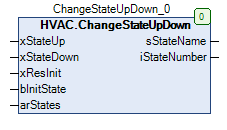
### Darstellung
### Schnittstellen
#### Eingänge
| Name | Datentyp | Wertebereich | Initialwert | Funktion |
| ------------ | ------------------- | ------------ | ----------- | ------------------------------------------------------------ |
| *xStateUp* | BOOL | | FALSE | Umschaltung zum nächsthöheren Zustand (ansteigende Flanke) |
| *xStateDown* | BOOL | | FALSE | Umschaltung zum nächstniederen Zustand (ansteigende Flanke) |
| *xResInit* | BOOL | | FALSE | Umschaltung zum Initialisierungszustand (ansteigende Flanke) |
| *bInitState* | BYTE | | 0 | Index des Initialisierungszustand |
| arStates | stChangeStateUpDown | | | Array mit den einzelnen Zuständen |
#### Ausgänge
| Name | Datentyp | Wertebereich | Initialwert | Funktion |
| ------------- | -------- | ------------ | ----------- | ----------------------------- |
| sStateName | STRING | | | Name des aktuellen Zustands |
| iStateNumber’ | INT | | | Nummer des aktuellen Zustands |
### Funktionsbeschreibung
\
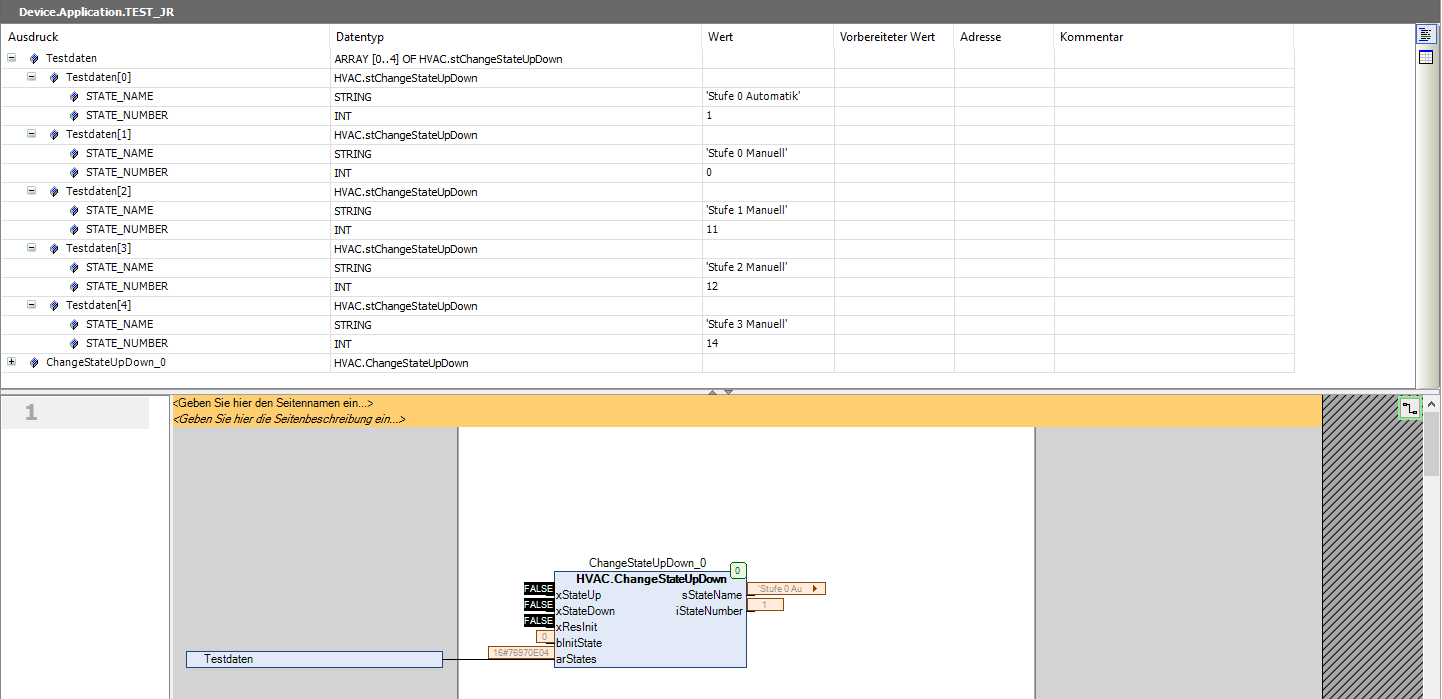
Dieser FB dient zur Umschaltung von frei definierbaren Zuständen (jeder Zustand ist durch einen Zustandstext und eine Zustandsnummer definiert) mittels der Eingänge ‘xStateUp’ bzw. ‘xStateDown’.\
Nach dem ersten Download, einem erneuten Download, jedem Online-Change und bei jeder ansteigenden Flanke am Eingang ‘xResInit’ wird der Initialzustand hergestellt. Der Index des Initialzustands ist durch den Eingang ‘bInitState’ definiert.
{% hint style="info" %}
Im Fehlerfall wird am Ausgang ‘sStateName’ der String ‘Error’ und am Ausgang ‘iStateNumber’ der Wert -1 ausgegeben.
{% endhint %}
#### Typische Anwendung
Dieser Funktionsbaustein kann wie folgt angewendet werden:
### CODESYS
InOut:
| Scope | Name | Type | Initial |
| ------ | -------------- | ------------------------------ | ------- |
| Input | `xStateUp` | `BOOL` | FALSE |
| Input | `xStateDown` | `BOOL` | FALSE |
| Input | `xStateInit` | `BOOL` | FALSE |
| Input | `bInitState` | `BYTE` | 0 |
| Output | `sStateName` | `STRING` | |
| Output | `iStateNumber` | `INT` | |
| Input | `arStates` | POINTER TO stChangeStateUpDown | |
---
# Agent Instructions
This documentation is published with GitBook. GitBook is the documentation platform designed so that both humans and AI agents can read, navigate, and reason over technical content effectively. Learn more at gitbook.com.
## Querying This Documentation
If you need additional information that is not directly available in this page, you can query the documentation dynamically by asking a question.
Perform an HTTP GET request on the current page URL with the `ask` query parameter, and the optional `goal` query parameter:
```
GET https://support.powerio.com/hub/codesys-hvac/hvac-library/functionblocks/general/changestateupdown.md?ask=&goal=
```
`ask` is the immediate question: it should be specific, self-contained, and written in natural language.
`goal` is optional and describes the broader end goal you are ultimately trying to accomplish on behalf of the user. GitBook uses it to tailor the answer towards what is most useful for that goal.
The response will contain a direct answer to the question and relevant excerpts and sources from the documentation.
Use this mechanism when the answer is not explicitly present in the current page, you need clarification or additional context, or you want to retrieve related documentation sections.