> For the complete documentation index, see [llms.txt](https://support.powerio.com/hub/llms.txt). Markdown versions of documentation pages are available by appending `.md` to page URLs; this page is available as [Markdown](https://support.powerio.com/hub/powerio-r-system/en/t1.b100/description.md).
# Description
powerIO® T1.B100
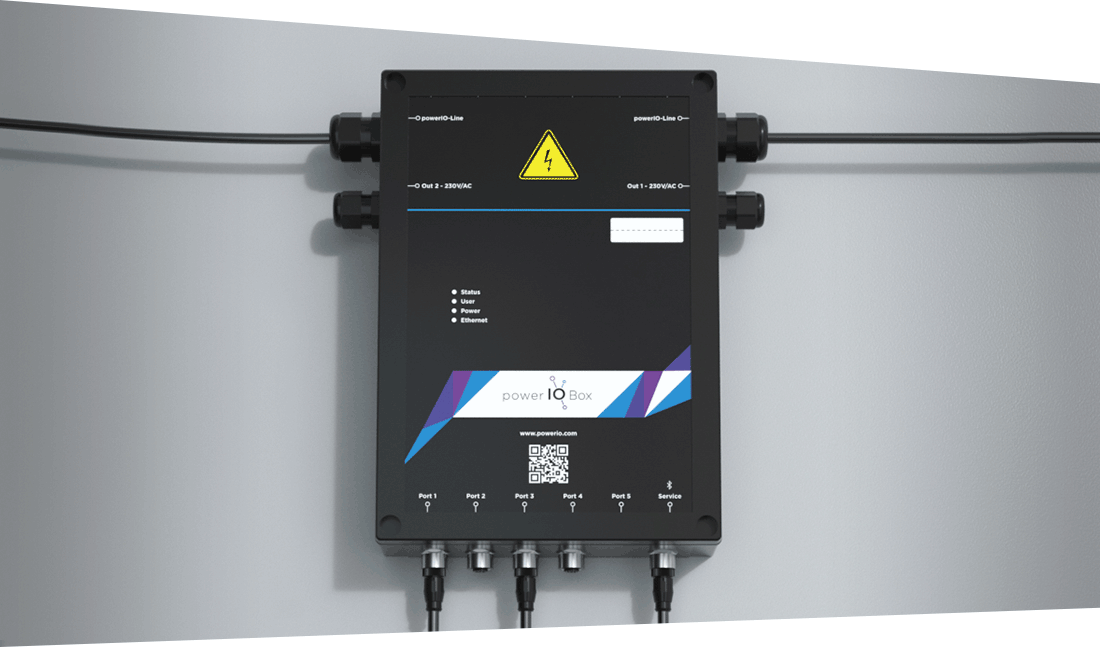
The powerIO® T1.B100 Box is a comprehensive and versatile solution for building automation that combines various functions and features:
* It enables the connection of communicative sensors and actuators via standardized industrial M12 connectors and supports up to 32 powerIO® boxes per powerIO® line. Up to 32 serial devices can be connected per M12 port.
* The box can be supplemented with various expansion boards to support different additional protocols.
* With 100 Mbit/s Ethernet TCP/IP communication and a 230V power supply via the powerIO® line, it offers a reliable infrastructure.
* The T1.B100 Box features a 24V DC/2A power supply for powering sensors and actuators as well as a web interface and an app for configuration.
* It enables the automatic conversion of serial protocols to TCP protocols, such as Modbus RTU to Modbus TCP.
* As a CODESYS controller, the box can be used for programming and controlling various automation processes.
* Installing apps such as the HVAC Automation Portal Cloud Adapter and Node-RED expands the box's functionality and contributes to its role as a comprehensive solution for building automation.
Overall, the powerIO® T1.B100 Box offers a flexible and scalable platform that can adapt to various requirements in building automation and facilitates the integration of different systems.
{% embed url="" %}
---
# Agent Instructions
This documentation is published with GitBook. GitBook is the documentation platform designed so that both humans and AI agents can read, navigate, and reason over technical content effectively. Learn more at gitbook.com.
## Querying This Documentation
If you need additional information that is not directly available in this page, you can query the documentation dynamically by asking a question.
Perform an HTTP GET request on the current page URL with the `ask` query parameter, and the optional `goal` query parameter:
```
GET https://support.powerio.com/hub/powerio-r-system/en/t1.b100/description.md?ask=&goal=
```
`ask` is the immediate question: it should be specific, self-contained, and written in natural language.
`goal` is optional and describes the broader end goal you are ultimately trying to accomplish on behalf of the user. GitBook uses it to tailor the answer towards what is most useful for that goal.
The response will contain a direct answer to the question and relevant excerpts and sources from the documentation.
Use this mechanism when the answer is not explicitly present in the current page, you need clarification or additional context, or you want to retrieve related documentation sections.