> For the complete documentation index, see [llms.txt](https://support.powerio.com/hub/llms.txt). Markdown versions of documentation pages are available by appending `.md` to page URLs; this page is available as [Markdown](https://support.powerio.com/hub/powerio-r-system/en/h1.m200-lte/lte-funktion.md).
# LTE Function
To insert a SIM card, the housing of the H1.M200 controller must be removed.
{% hint style="danger" %}
CAUTION: Antenna cable is located between the cover and the circuit board - do not remove, place carefully!
{% endhint %}
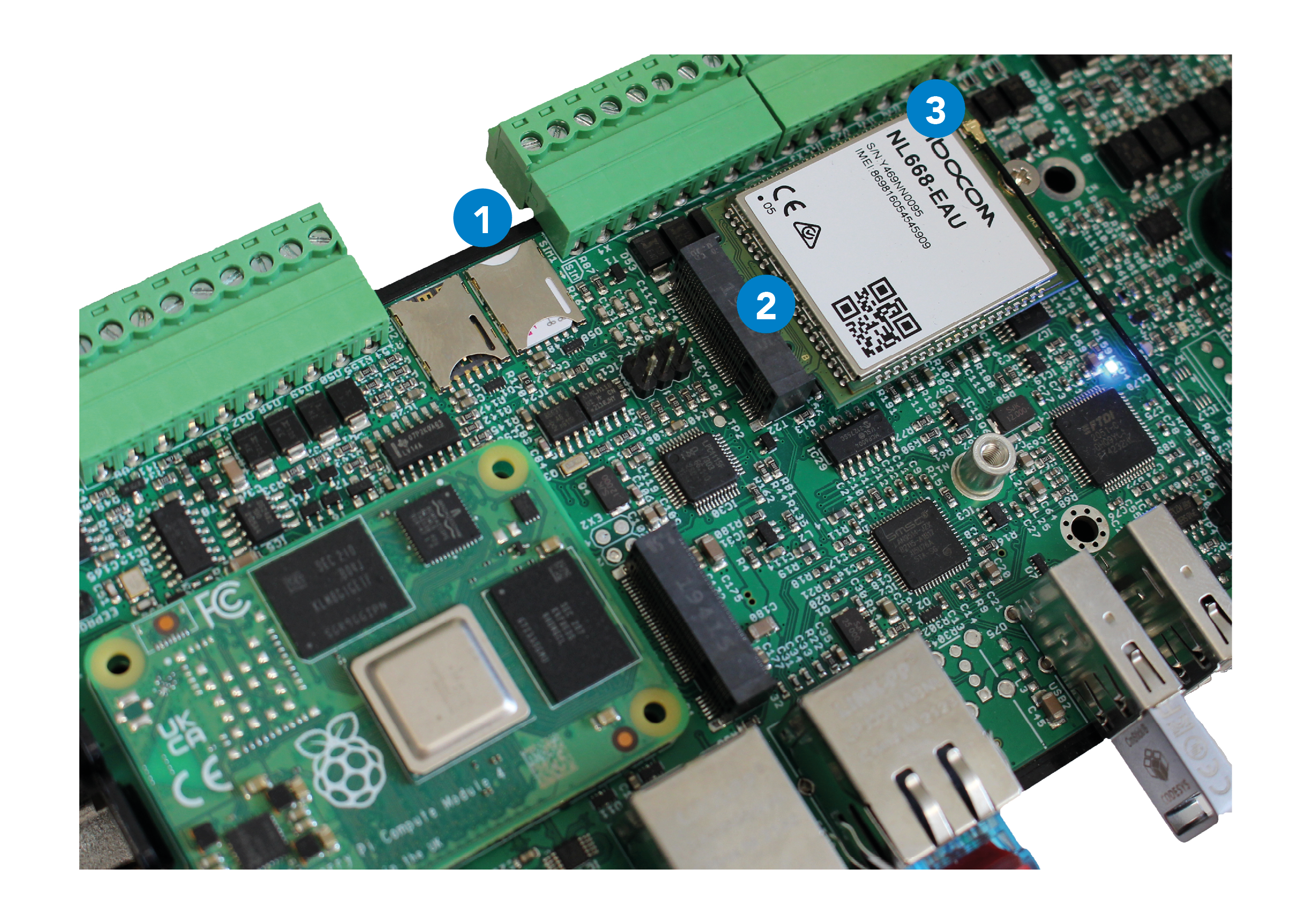
When the housing is open, the SIM card can be inserted into slot 1 as shown in the picture below.
{% hint style="info" %}
The SIM card must not be fitted with a SIM pin.
{% endhint %}
(1) SIM card slot (SIM card not included in delivery)\
(2) LTE module fitted in variant H1.M200-CDS-LTE\
(3) Antenna connection cable to the cover (caution required!)
Further settings for the SIM card as well as current information on signal strength, network registration, gateways, etc. can be viewed under Settings "Network" on the web interface (port 8080) of the controller.
---
# Agent Instructions
This documentation is published with GitBook. GitBook is the documentation platform designed so that both humans and AI agents can read, navigate, and reason over technical content effectively. Learn more at gitbook.com.
## Querying This Documentation
If you need additional information that is not directly available in this page, you can query the documentation dynamically by asking a question.
Perform an HTTP GET request on the current page URL with the `ask` query parameter, and the optional `goal` query parameter:
```
GET https://support.powerio.com/hub/powerio-r-system/en/h1.m200-lte/lte-funktion.md?ask=&goal=
```
`ask` is the immediate question: it should be specific, self-contained, and written in natural language.
`goal` is optional and describes the broader end goal you are ultimately trying to accomplish on behalf of the user. GitBook uses it to tailor the answer towards what is most useful for that goal.
The response will contain a direct answer to the question and relevant excerpts and sources from the documentation.
Use this mechanism when the answer is not explicitly present in the current page, you need clarification or additional context, or you want to retrieve related documentation sections.