> For the complete documentation index, see [llms.txt](https://support.powerio.com/hub/llms.txt). Markdown versions of documentation pages are available by appending `.md` to page URLs; this page is available as [Markdown](https://support.powerio.com/hub/orbit/en/changelog.md).
# Changelog
The changelog shows all versions of powerIO Orbit since launch, each with date, new features, changes, and bug fixes.
New versions of powerIO Orbit are available to all organizations immediately; no update is required. The latest version is at the top, and the RSS feed on this page informs you about every new version.
{% updates format="full" %}
{% update date="2026-09-24" tags="verwaltung,fehlerbehebung" %}
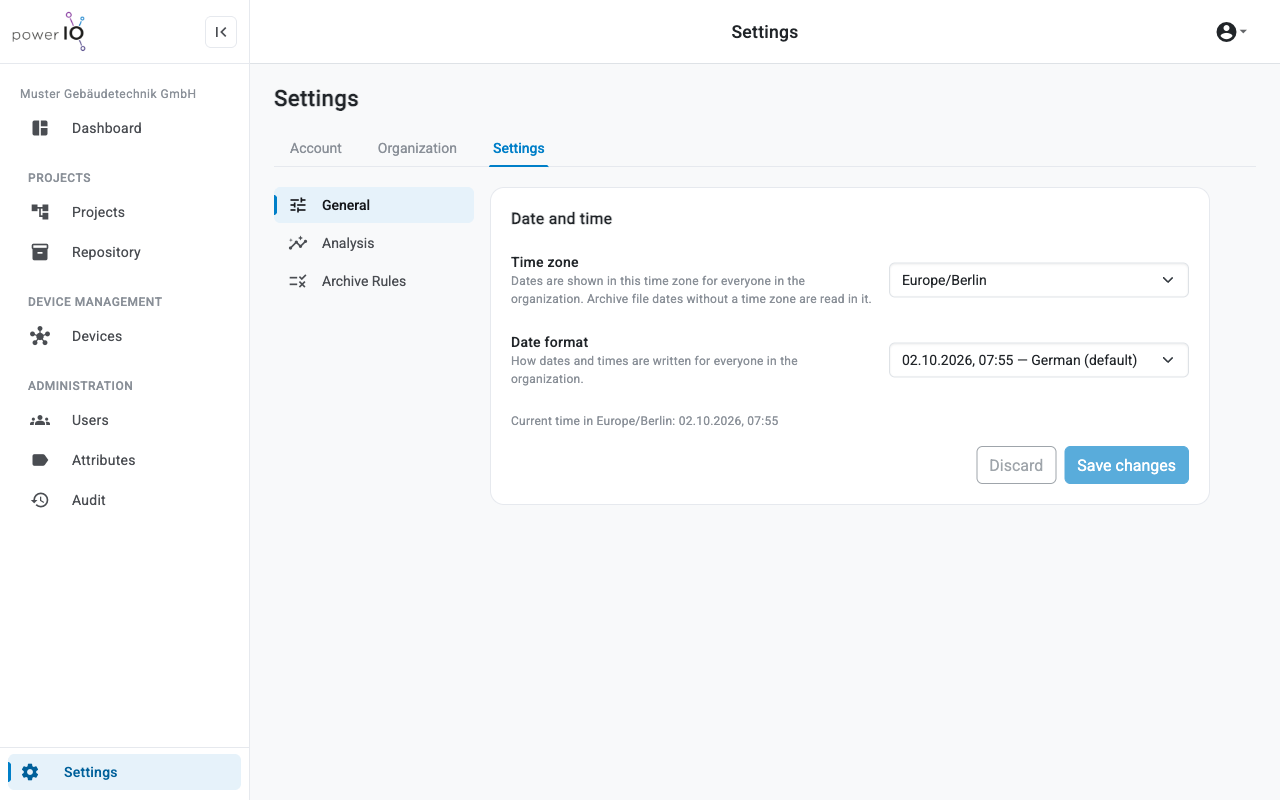
## Version 2.6: Time zone and date format for your organization
Orbit now shows every date the way your team is used to: in your time zone and in your format, from the project tree to the audit log.
Time zone and date format under Settings
**New features and changes**
* **Date and time**: The **Customer admin** sets in **Settings** > **General** the time zone and date format for the entire organization.
* **Settings**: The areas **General**, **Analysis** and **Archive Rules** are now available as menu items on the left in the tab **Settings**.
**Bug fixes**
* **File date**: Orbit now reads the file date from ZIP archives in the organization's time zone and displays it without an offset.
{% endupdate %}
{% update date="2026-09-23" tags="projekte,archive,verwaltung" %}
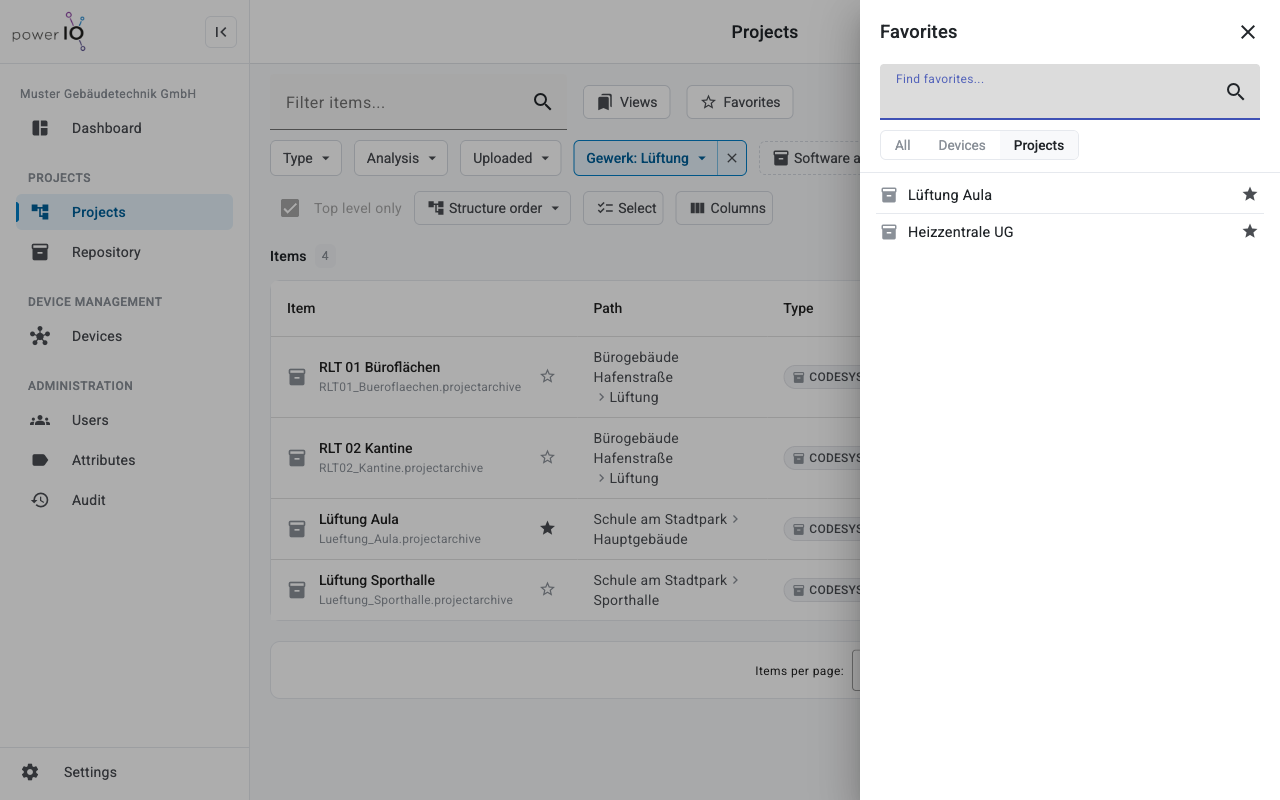
## Version 2.5: Favorites and upload rules
Your most important attachments and devices are now only a click away. At the same time, your organization defines which new software versions Orbit accepts.
Favorites in the Projects area
**New features and changes**
* **Favorites**: Items and devices can be marked as favorites with the star icon and appear in **Dashboard** under **Quick access**.
* **Archive Rules**: The **Customer admin** defines rules for new uploads, for example a maximum number of versions or a maximum size per file.
* **Settings**: The new tab **Settings** bundles archive analysis under **Analysis** and the rules under **Archive Rules**.
* **Collections**: A collection shows the software version of each archive beneath it.
* **Delete versions**: With **Delete version** you delete the current version of an archive; after that, the next older version becomes current.
* **Icons**: An item without a software archive shows a gray icon.
{% endupdate %}
{% update date="2026-09-22" tags="projekte,archive,oberflaeche,geraete,benutzer" %}
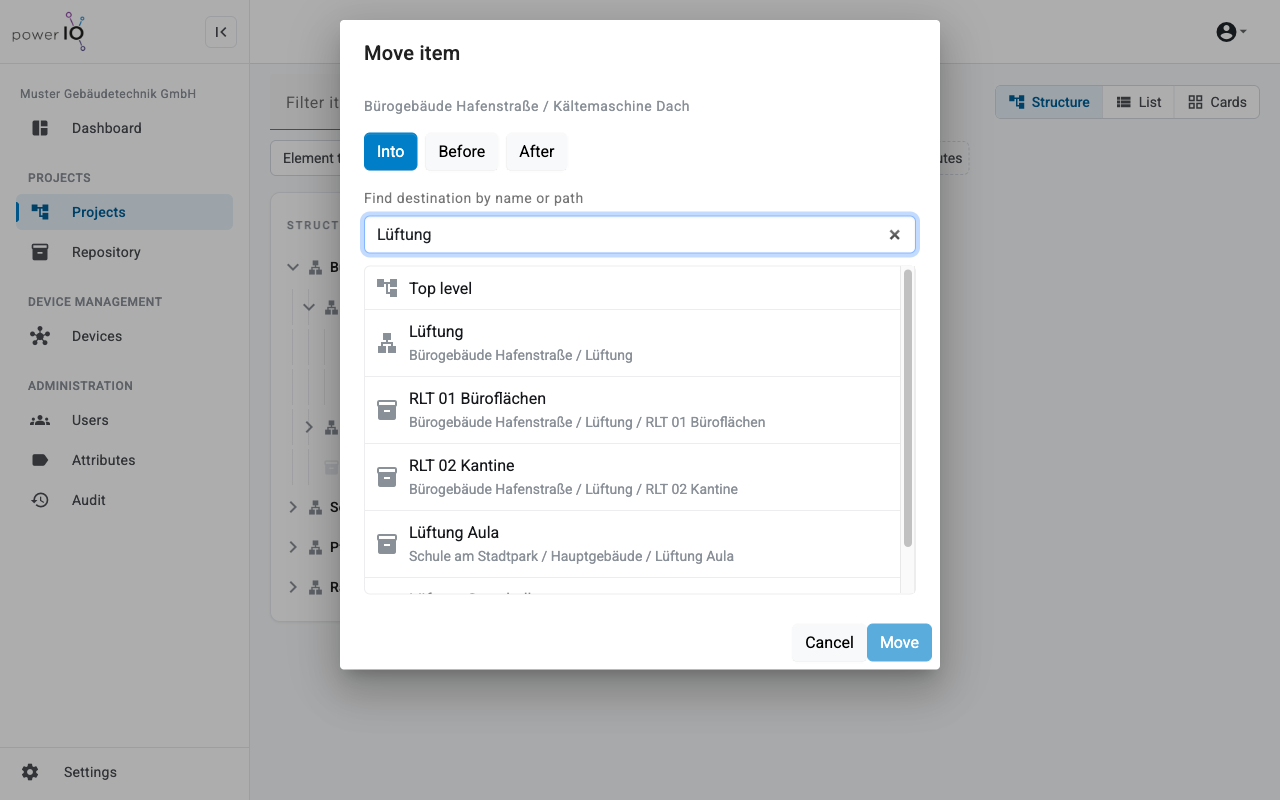
## Version 2.4: Move items specifically
Large projects can now be reorganized in just a few clicks. The dialog **Move item** finds any destination by name or path.
Move an item with Move item
**New features and changes**
* **Move items**: The dialog **Move item** places an item before, in, or after the selected target.
* **Arrange**: You switch the drag-and-drop arrangement mode via **Arrange items** and end it with **Finish arranging**.
* **Download archives**: **Download archives** on a collection downloads the latest version of all archives beneath it as a ZIP archive.
* **List view**: **Select** shows selection fields, and the new filter **Element type** separates items and collections.
* **Search**: Search results also show the child items of a matching item.
* **Attachments**: **Replace with a new version** uploads a new version of an attachment.
* **Analysis**: The status **Not analysed** marks archives without analysis; clicking the status starts it.
* **Dashboard**: **Recent activity** can be restricted to periods from 24 hours to one year.
* **Devices**: The device list shows status, serial number, versions and **Last seen** in a new design.
* **Users**: The user list shows the type of login and the column **Last login**.
{% endupdate %}
{% update date="2026-09-11" tags="oberflaeche,projekte,archive,benutzer,verwaltung,geraete,fehlerbehebung" %}
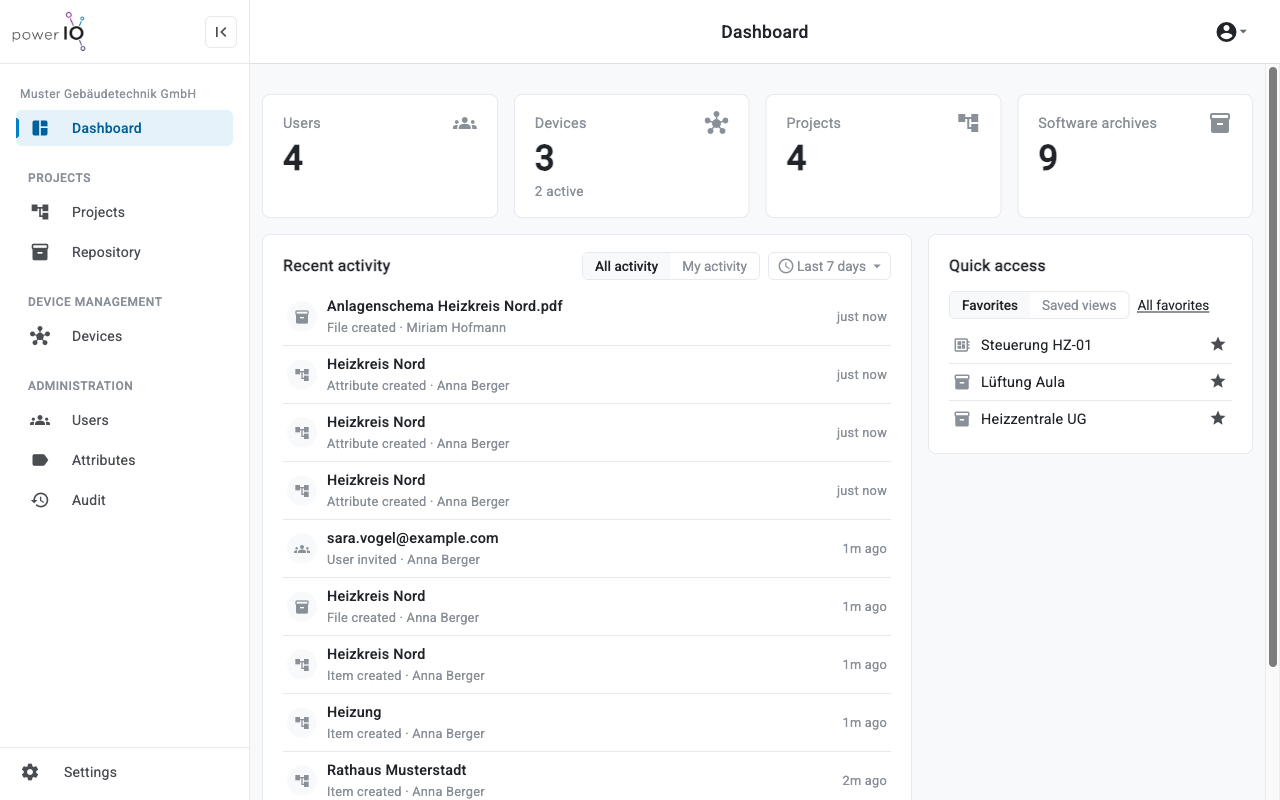
## Version 2.3: New design, new dashboard and more control
Version 2.3 gives Orbit a new look with dark mode and a dashboard that shows what is happening in your organization. It also adds roles, audit log, trash, and a new project view.
The new dashboard
**New features and changes**
* **New design**: The sidebar structures Orbit into Projects, Device Management, and Administration, plus dark mode and a mobile-friendly layout.
* **Dashboard**: The new **Dashboard** shows key figures, **Recent activity**, **Quick access** and first steps for new organizations.
* **Settings**: The new page **Settings** shows profile and profile picture under **Account** as well as plan and usage under **Organization**.
* **Plans**: Features and limits for users, devices, projects, and storage depend on the organization's plan.
* **Roles**: The tab **Roles** shows four predefined roles with their permissions, custom roles, and multiple roles per user.
* **Audit**: The audit log records changes, and the trash under **Restore** restores deleted content.
* **Projects**: The area **Projects** offers the views **Structure**, **List** and **Cards** with filters, column selection, and saved **Views**.
* **Collections**: Collections structure the project tree and show the software archives and attributes of all items beneath them.
* **Attributes**: The shared catalog under **Attributes** offers the types Text, Link, IP address, and Number.
* **Software archives**: Orbit accepts CODESYS and SBC projects up to 1 GB, shows the file date separately from the upload, and analyses the archives automatically.
* **Devices**: A new detail page shows the status, versions, network, storage, and applications of a device.
**Bug fixes**
* **Edit**: Pressing Enter while editing an item no longer discards the changes.
* **Uploads**: When leaving a page during an upload, Orbit warns instead of canceling the upload.
* **Sorting**: Tables sort case-insensitively and correctly order version numbers like 1.9 and 1.10.
* **Special characters**: Names with `&`, `<` or quotation marks appear correctly.
* **Login**: Reloading the page after login no longer leads to a server error.
{% endupdate %}
{% update date="2026-07-24" tags="anmeldung,benutzer" %}
## Version 2.2: Allowlist for new accounts
New accounts now go through a short review by powerIO. Anyone who is invited starts without waiting time.
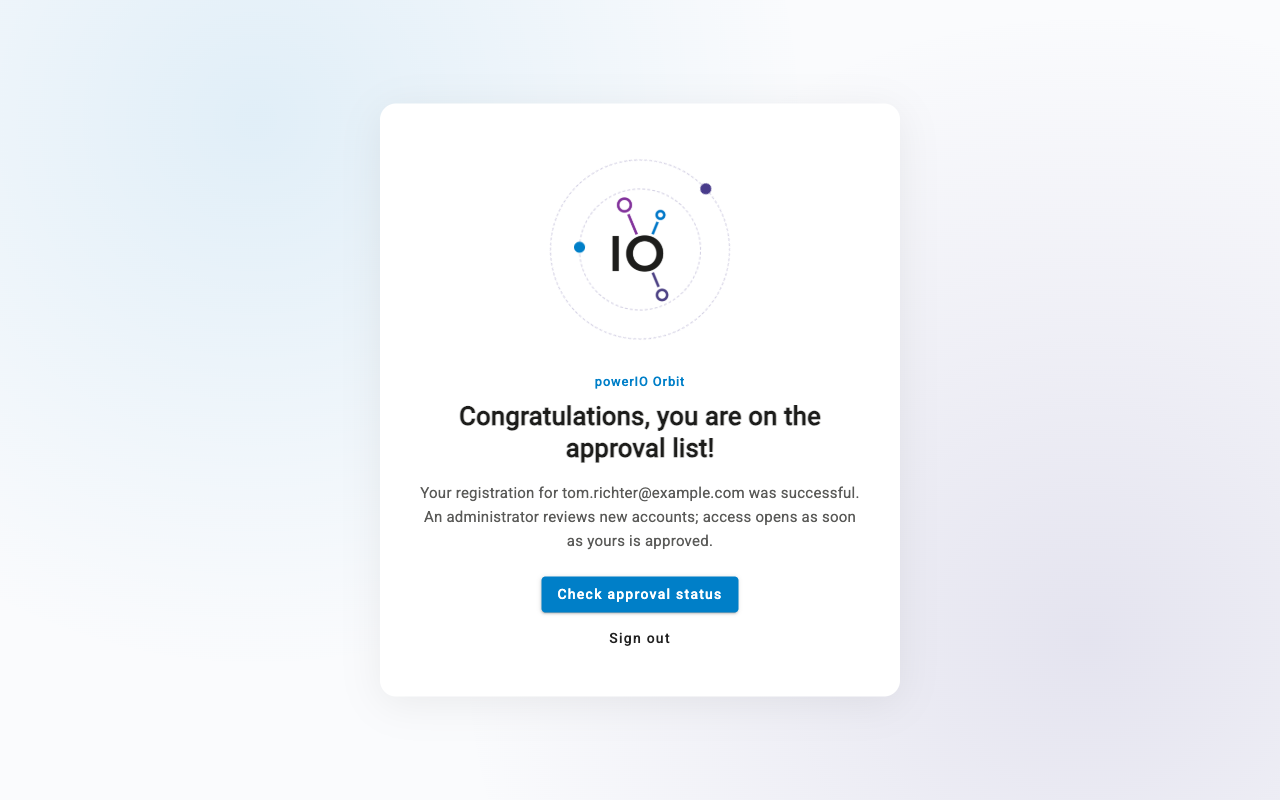
A new account on the allowlist
**New features and changes**
* **Allowlist**: New accounts from registration wait for approval by powerIO; an accepted invitation activates the account immediately.
* **Invitations**: The invitation email appears in the powerIO Orbit design.
{% endupdate %}
{% update date="2026-07-20" tags="projekte,archive,benutzer,geraete,anmeldung" %}
## Version 2.0: Launch of powerIO Orbit
With version 2.0, the powerIO cloud platform relaunches as powerIO Orbit: projects, software versions, and powerIO devices in one place, directly in the browser.
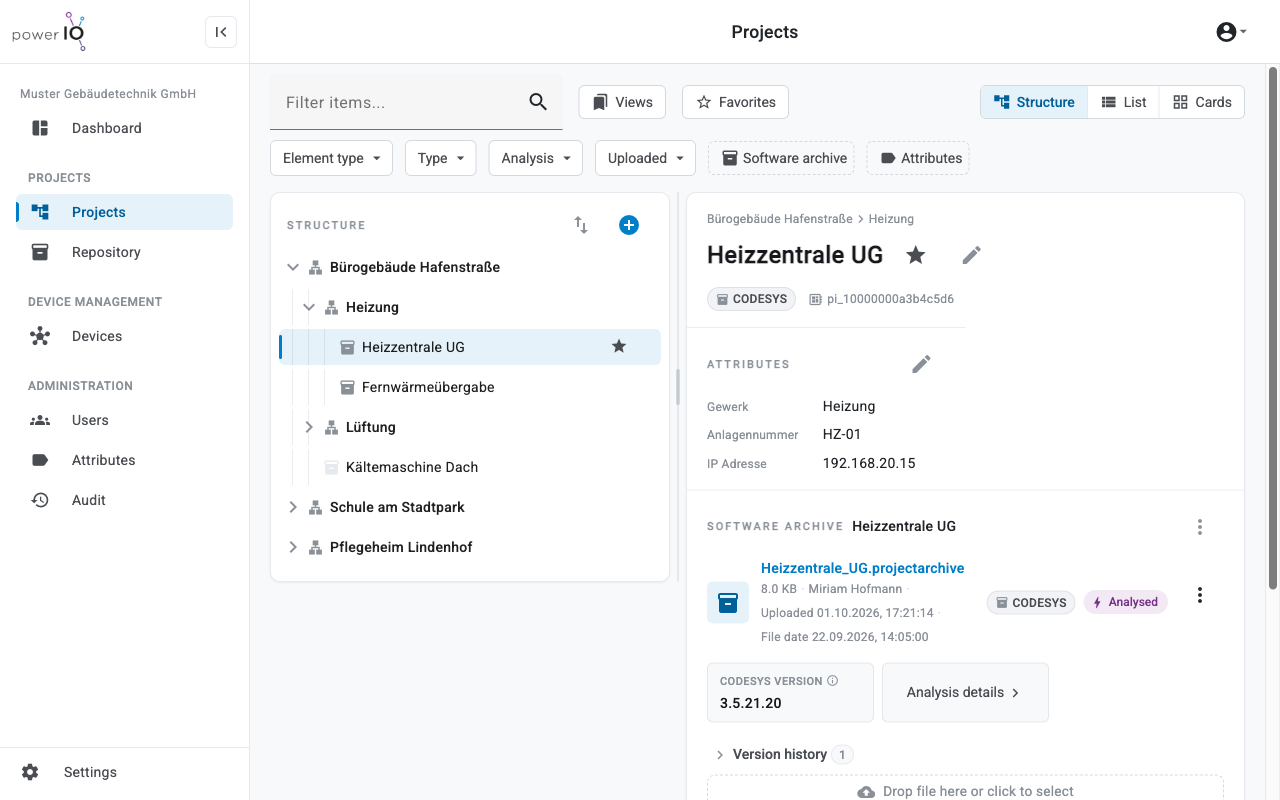
Projects and software archives in powerIO Orbit
**New features and changes**
* **powerIO Orbit**: The cloud platform relaunches as powerIO Orbit with a new interface in the browser.
* **Login**: Login takes place via the powerIO Orbit account, also with a Microsoft account.
* **Projects**: The project tree stores attributes, attachments, and a software archive per item with version history.
* **Users**: New users can be invited to the organization by email.
* **Organizations**: Users with multiple organizations switch between them with **Change customer** .
* **Devices**: The device list shows the organization's powerIO devices with comments and offers resetting the device password.
{% endupdate %}
{% endupdates %}
---
# Agent Instructions
This documentation is published with GitBook. GitBook is the documentation platform designed so that both humans and AI agents can read, navigate, and reason over technical content effectively. Learn more at gitbook.com.
## Querying This Documentation
If you need additional information that is not directly available in this page, you can query the documentation dynamically by asking a question.
Perform an HTTP GET request on the following URL with the `ask` and `goal` query parameters:
```
GET https://support.powerio.com/hub/orbit/en/changelog.md?ask=&goal=
```
`ask` is the immediate question: it should be specific, self-contained, and written in natural language.
`goal` is what the user is ultimately trying to achieve, the reason they need the answer. Sharing it helps GitBook give you a better, more relevant answer. A goal is most helpful when it describes the outcome the user wants rather than restating the question. For example, with `ask=how do I create an API token`, a goal like `build a script that syncs our docs to a CMS` lets GitBook tailor the answer to that use case.
The response will contain a direct answer to the question and relevant excerpts and sources from the documentation.
Use this mechanism when the answer is not explicitly present in the current page, you need clarification or additional context, or you want to retrieve related documentation sections.