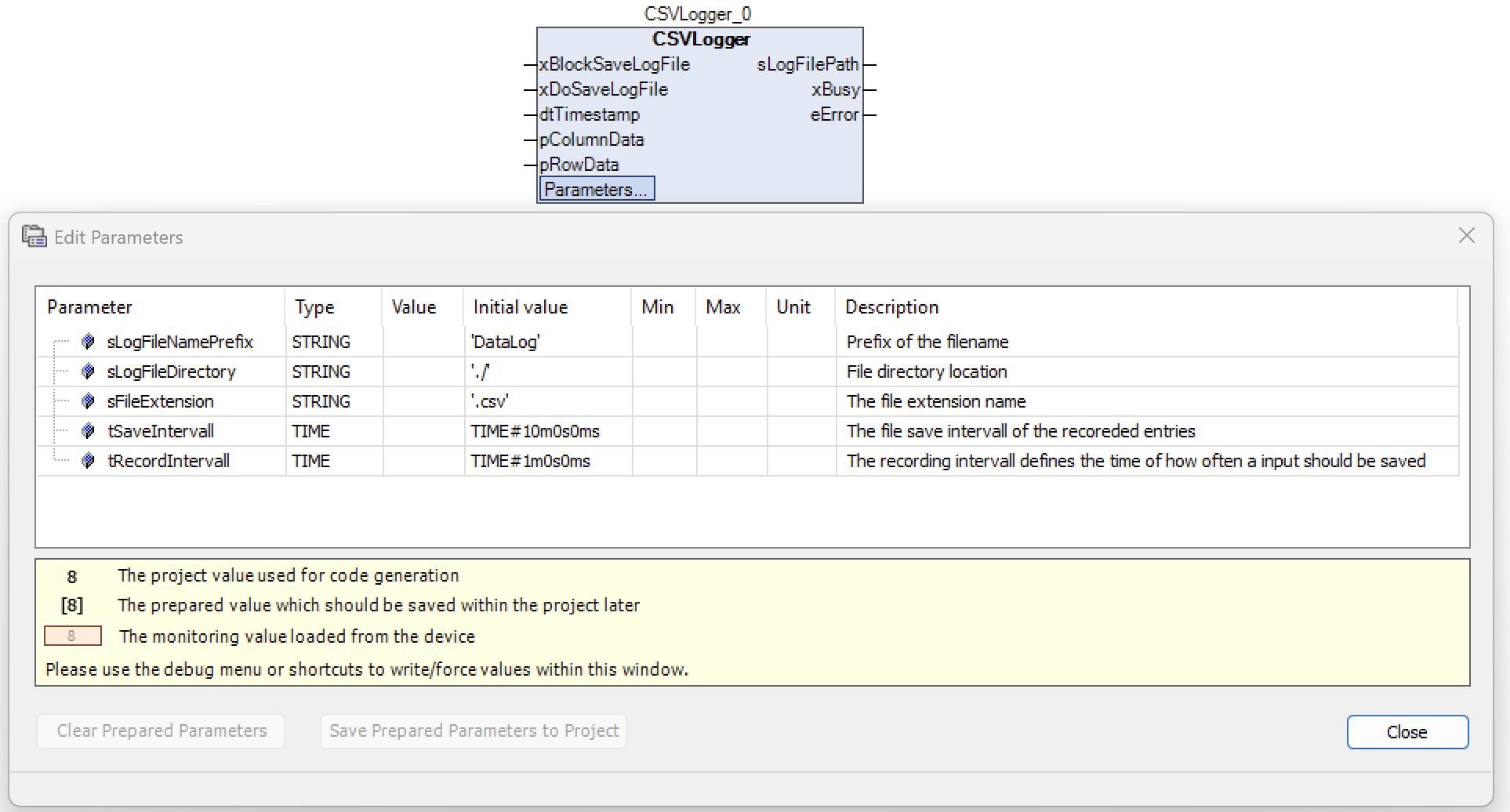
Time-controlled data logging in CSV files with configurable recording and storage intervals.
{% endcolumn %} {% column width="8.333333333333343%" %} {% endcolumn %} {% endcolumns %} *** ### Description With this library, you can log process data directly from CODESYS into CSV files. The library offers flexible configuration options for recording and storage intervals as well as various helper functions for data formatting. The main components are: * Time-controlled data logging in CSV files * Conversion of timestamps into different string formats * Automatic generation of file names with timestamp * Processing of column and row data * Rounding of floating-point numbers to defined decimal places *** ### Details | **Documentation version** |space.vars.HVACCSV\_Library\_latest |
| ------------------------------ | ------------------------------------------------------------------------------------------------------------ |
| **Placeholder** | `HVACCSV` |
| **Available in CODESYS Store** | *No* |
| **Programming system** | *CODESYS V3.5.17.2 or higher* |
| **Runtime system** | *CODESYS Control V4.2.0.0 or higher* |
| **Licensing** | *Single License (single device license)* |
| **License** | [HVAC Building Automation Package SL](https://store.codesys.com/de/hvac-building-process-automation-sl.html) |
***
---
# Agent Instructions
This documentation is published with GitBook. GitBook is the documentation platform designed so that both humans and AI agents can read, navigate, and reason over technical content effectively. Learn more at gitbook.com.
## Querying This Documentation
If you need additional information that is not directly available in this page, you can query the documentation dynamically by asking a question.
Perform an HTTP GET request on the current page URL with the `ask` query parameter, and the optional `goal` query parameter:
```
GET https://support.powerio.com/hub/codesys-hvac/en/hvac-csv-library/beschreibung.md?ask=