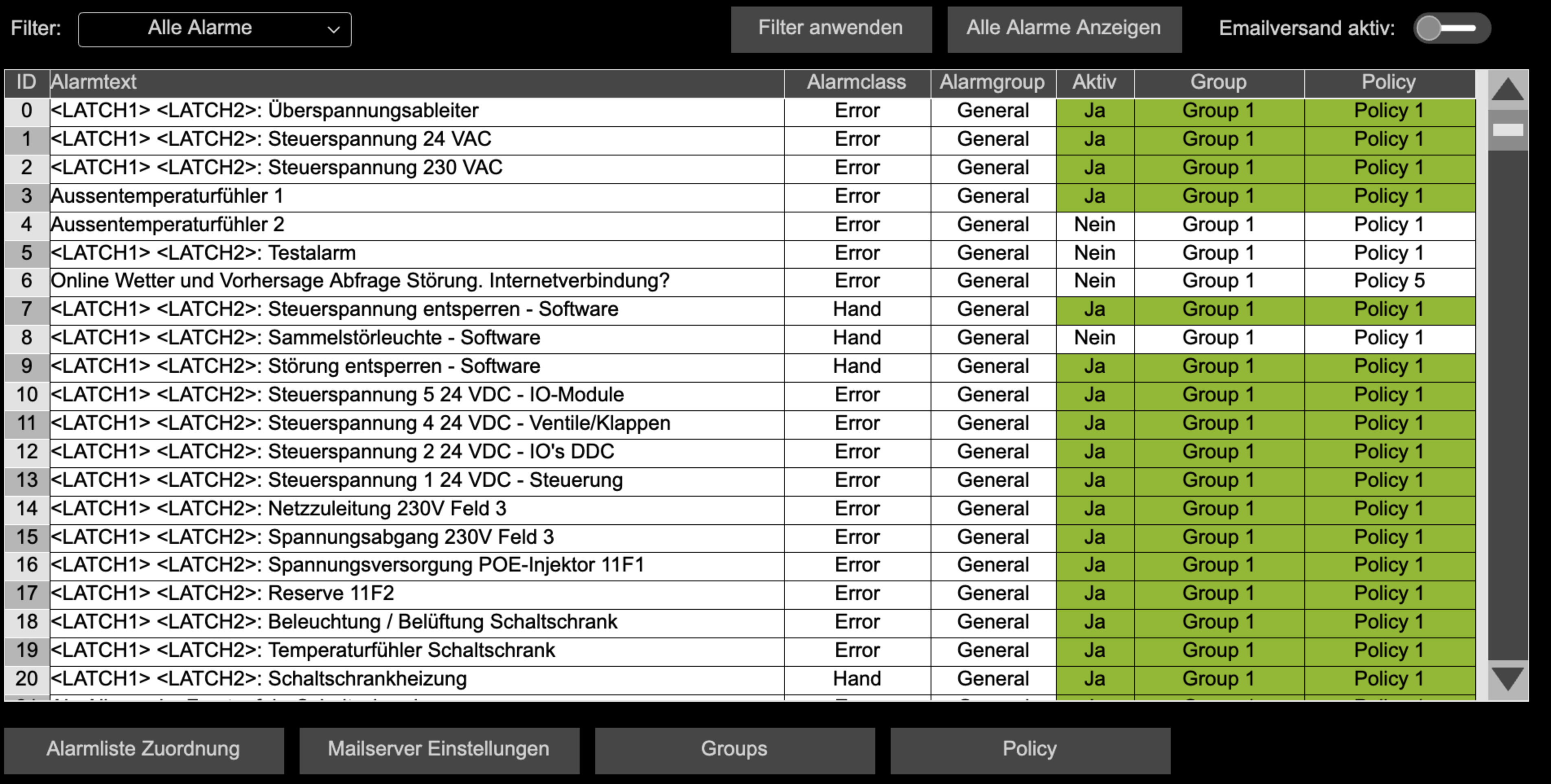
Automatic reading of all configured alarms and setup of mail sending or alarming with the HVAC Automation Portal.
{% endcolumn %} {% column width="8.333333333333343%" %} {% endcolumn %} {% endcolumns %} *** ### Description With this library you can read, filter and use alarms from the CODESYS AlarmManager via IEC code for further functions – e.g. for e-mail notifications, custom logic or visualizations. The library provides an alarm buffer, traversal mechanisms and a flexible rule set. Based on alarm classes, alarm groups and other criteria, policies and groups can be defined that determine when and how alarm messages are processed or sent. The main components are: * Access to all alarms of the AlarmManager via IEC code * Buffering of alarms in a high-performance alarm buffer * Filtering of alarms by type (e.g. alarm class, alarm group) and text * Management of policies (rules) and groups to define alarm behavior * E-mail notification for relevant alarm conditions * Status and diagnostic information for e-mail delivery * Utility blocks such as timers and FIFO buffer *** ### Details | **Documentation Version** |space.vars.HVACFAM\_Library\_latest |
| ------------------------------ | ------------------------------------------------------------------------------------------------------------------------------------------------------------------------------------------------------------------------------------------ |
| **Placeholder** | `HVACFAM` |
| **Available in CODESYS Store** | *No* |
| **Programming System** | *CODESYS V3.5.17.2 or higher* |
| **Runtime System** | *CODESYS Control V4.2.0.0 or higher* |
| **Licensing** | *Single License (single-device license)* |
| **License** | HVAC Building Automation Package SL
+
CODESYS IIoT Libraries SL